

To enable the creation of an action plan directly from the audit, one or a set of defined nonconformities (e.g., major and minor nonconformities) must be created in the questionnaire. These can either be automatically assigned following a specific, usually negative, response, or they can be manually assigned by the auditor.
The content of the action plan is defined by a dedicated template with the suffix “-cap.” Common entries include, for example: “Suggested improvement,” “Person responsible,” “Implementation by,” “Successfully implemented,” and “Proof of implementation.”
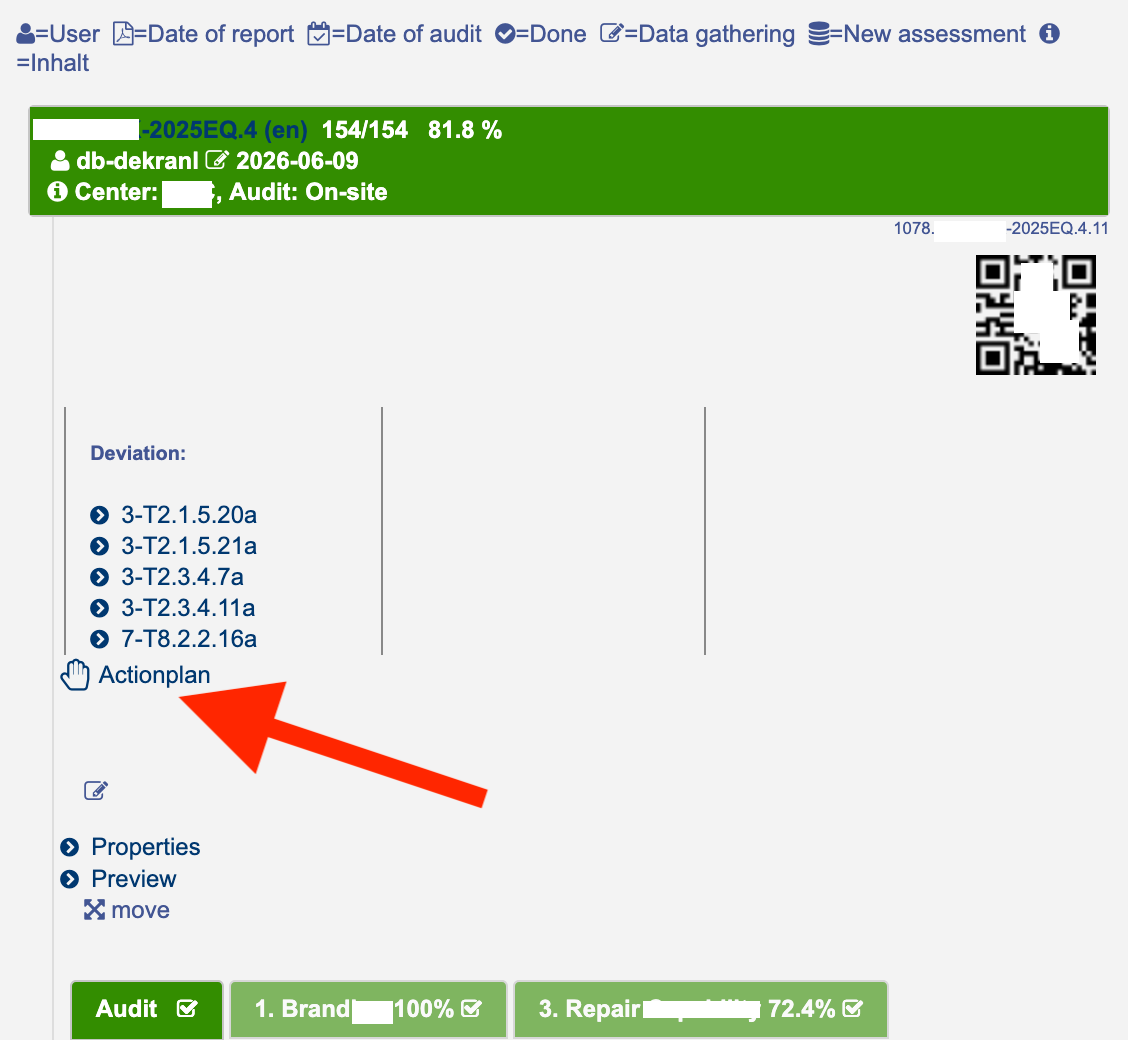
As soon as one or more nonconformities have been recorded, the “Action Plan” link becomes available:
The generated questionnaire is assigned to the audit:
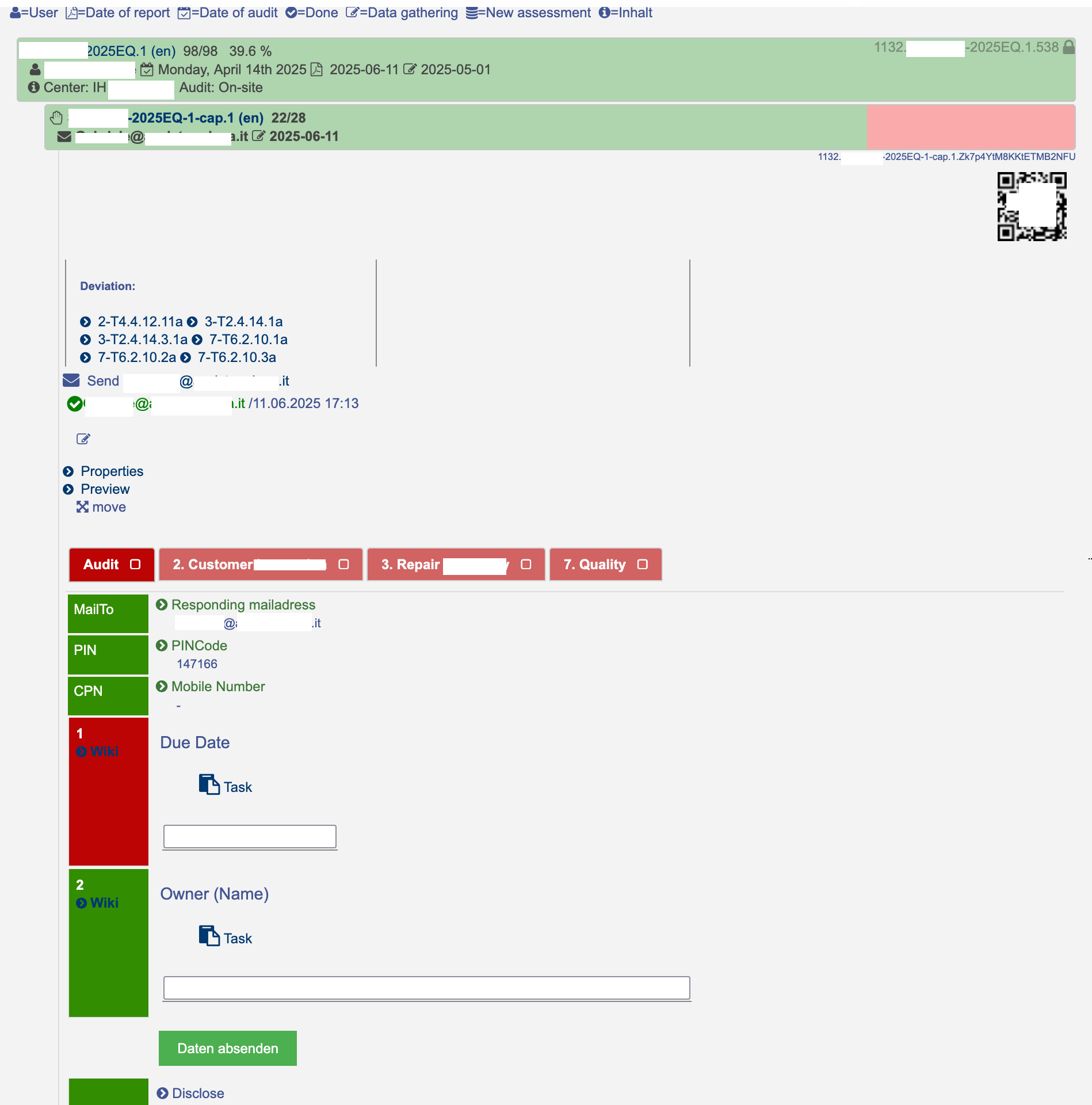
The data can be entered by the auditor or, if assigned, by a partner or client.