Sidebar

Remember Me
  • Forgot your username?
  • Forgot your password?
  • English (United Kingdom)
  • German (DE)
auditBus auditBus auditBus
  • auditBus
    • Use case
    • FAQ
  • Get started
    • Outline
    • Location
    • Questionnaire
    • User
    • Layer
    • Roll out
      • User administration
      • Project status
    • Collect data
      • Online
      • Offline
    • Evaluation
      • Key figures
      • Report
  • Help
    • Support-Center
    • Documents
  • Contact

Access Rights and User Roles

Access rights are determined by the assigned user role, which specifies which operations a user is permitted to perform (enter, delete, move, create, evaluate, etc.), and by the assignment to a level, which specifies on which elements (locations) the user can perform operations.

The following roles can be assigned to a user:

  • Administrator
  • Customer (read-only, evaluate)
  • Auditor (data entry)

Auditors do not require any additional attributes. The levels they are permitted to access are determined at login based on the assigned questionnaires or input forms.

Administrators and Customers must be assigned a level for their access rights.

Lead Auditor is just an extension of the Auditor role through the assignment of one or more levels. This extends the permitted operations for these levels to include the right to create questionnaires or input forms and to schedule auditors.
Which language is used?

auditBus uses locales as a set of settings for regional settings (location parameters) and language selection.

If files containing location parameters for a region (e.g., “DE”) are available, that language is available. When auditBus is launched, this language is automatically set based on the web browser and can be changed by the user.

Questionnaires and data entry forms are created in the user’s preferred language and are automatically translated when accessed with a different locale (e.g., “EN”). Reports are displayed directly in the language of the respective locale. PDF documents generated by the system are created in all available languages.


Where can I see the number of audits that have been conducted?

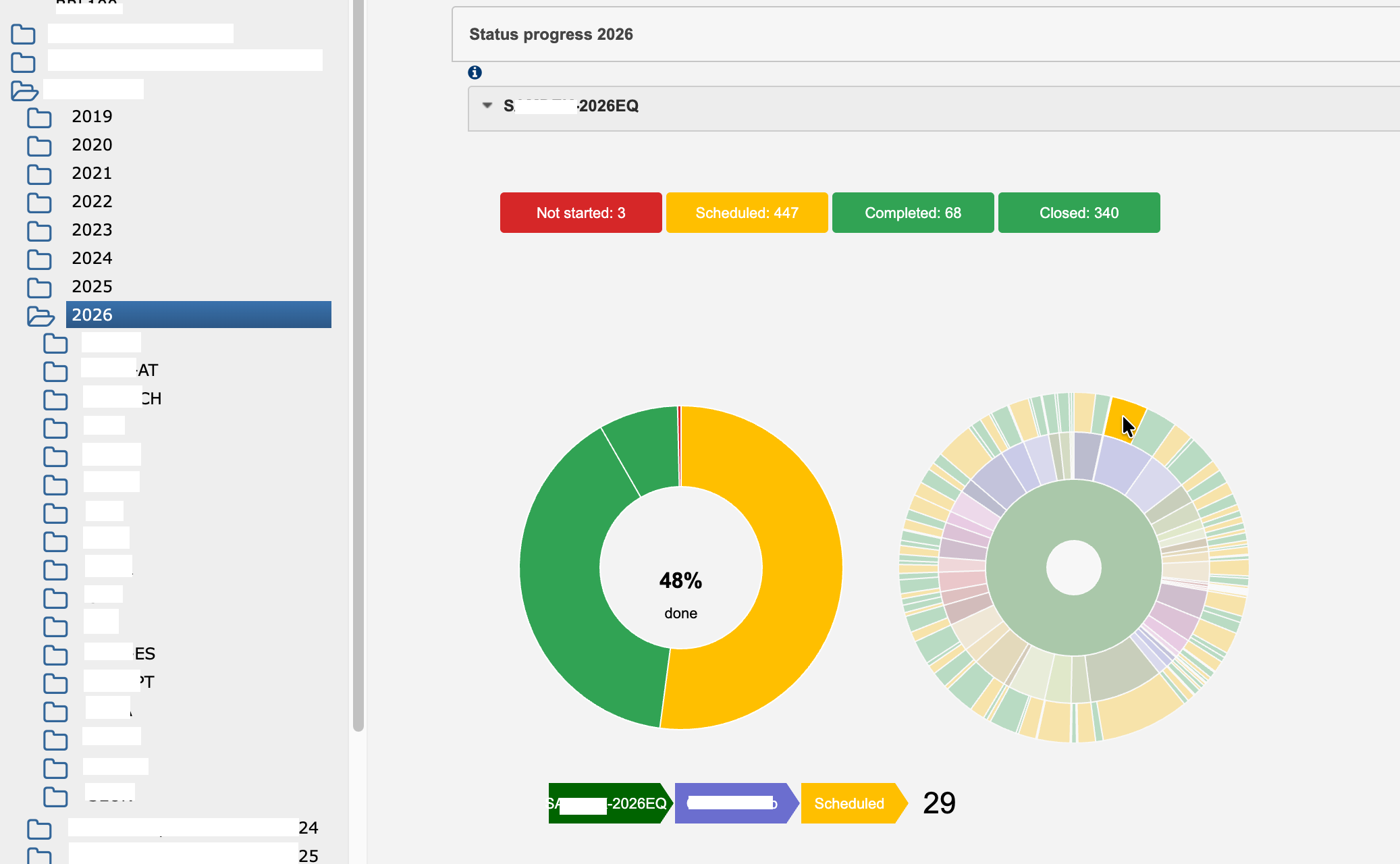
You can find the number of planned, started, and completed audits under Status progress for the selected level:

status

Read more: Where can I see the number of audits that have been conducted?

What is a template?

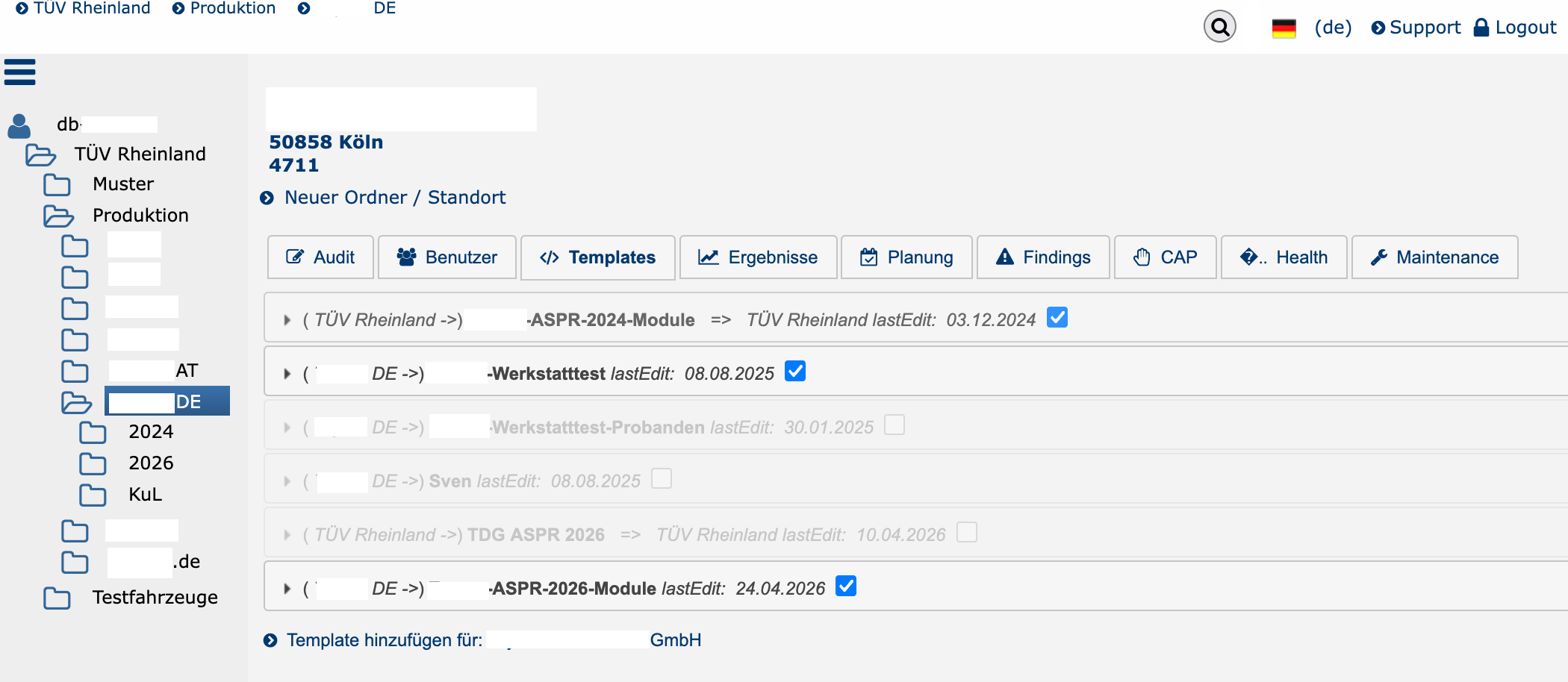
Questionnaires (or data collection forms) for assessments are saved as templates at the auditBus level and can be used for that level and all levels below it. Templates are XML files that contain all chapters, questions, answers, interviewer instructions, scores, filter rules, and defined deviations for the action plan.

ttemplates

Read more: What is a template?

Where can I see when an audit is scheduled?

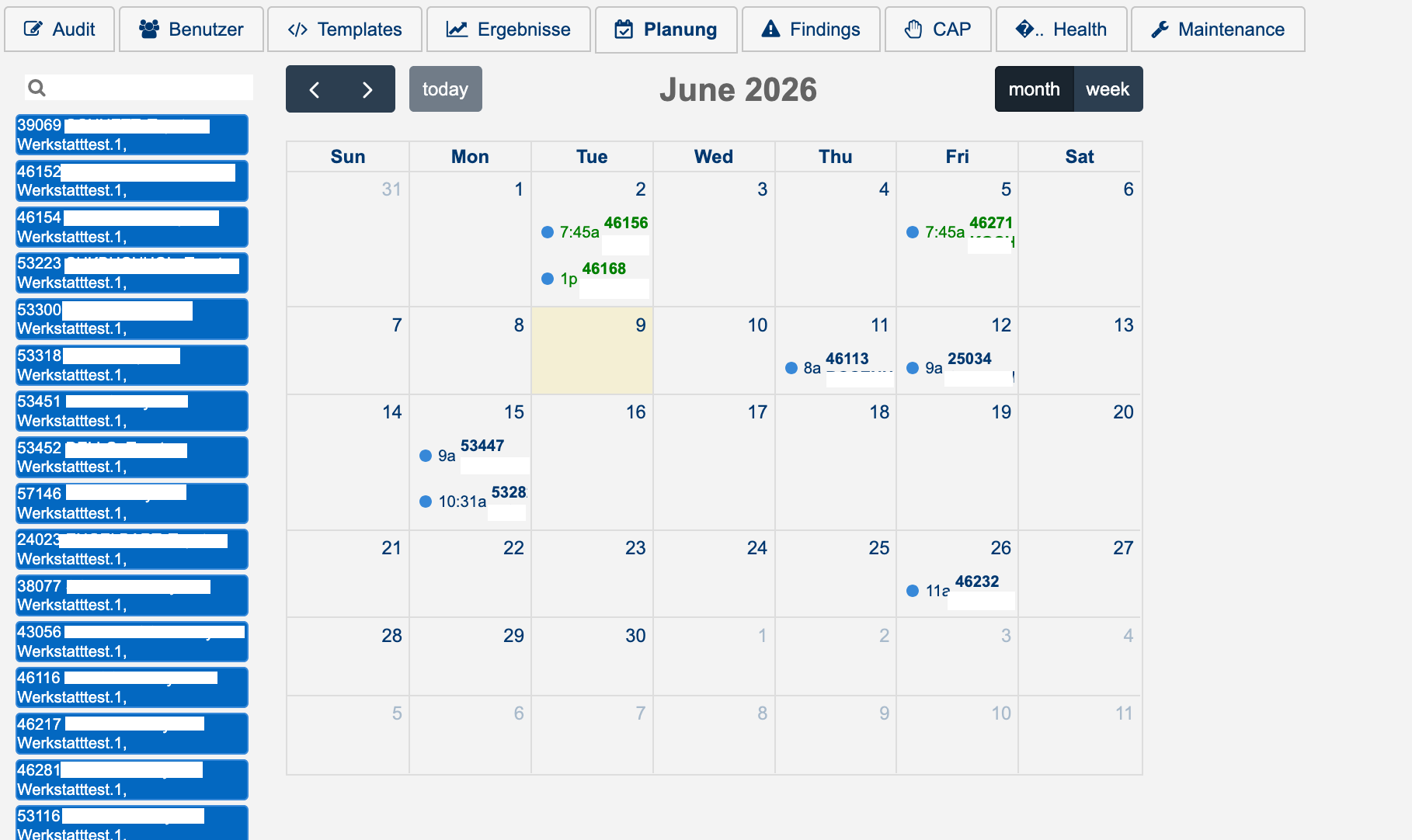
Under Planning / Schedule:

schedule

Read more: Where can I see when an audit is scheduled?

More Articles …

  1. Where is the audit report?
  2. How do we turn the audit into an action plan?
  3. Is there an overview of the status of all action plans?
  4. Are the overall results being analyzed?
Page 1 of 2
  • Start
  • Prev
  • 1
  • 2
  • Next
  • End
auditBus.net CMS
easy & agile auditing
Privacy Policy
Imprint
  • English (United Kingdom)
  • German (DE)
 
 
Bootstrap is a front-end framework of Twitter, Inc. Code licensed under MIT License. Font Awesome font licensed under SIL OFL 1.1.