Sidebar

Remember Me
  • Forgot your username?
  • Forgot your password?
  • English (United Kingdom)
  • German (DE)
auditBus auditBus auditBus
  • auditBus
    • Use case
    • FAQ
  • Get started
    • Outline
    • Location
    • Questionnaire
    • User
    • Layer
    • Roll out
      • User administration
      • Project status
    • Collect data
      • Online
      • Offline
    • Evaluation
      • Key figures
      • Report
  • Help
    • Support-Center
    • Documents
  • Contact

Where is the audit report?

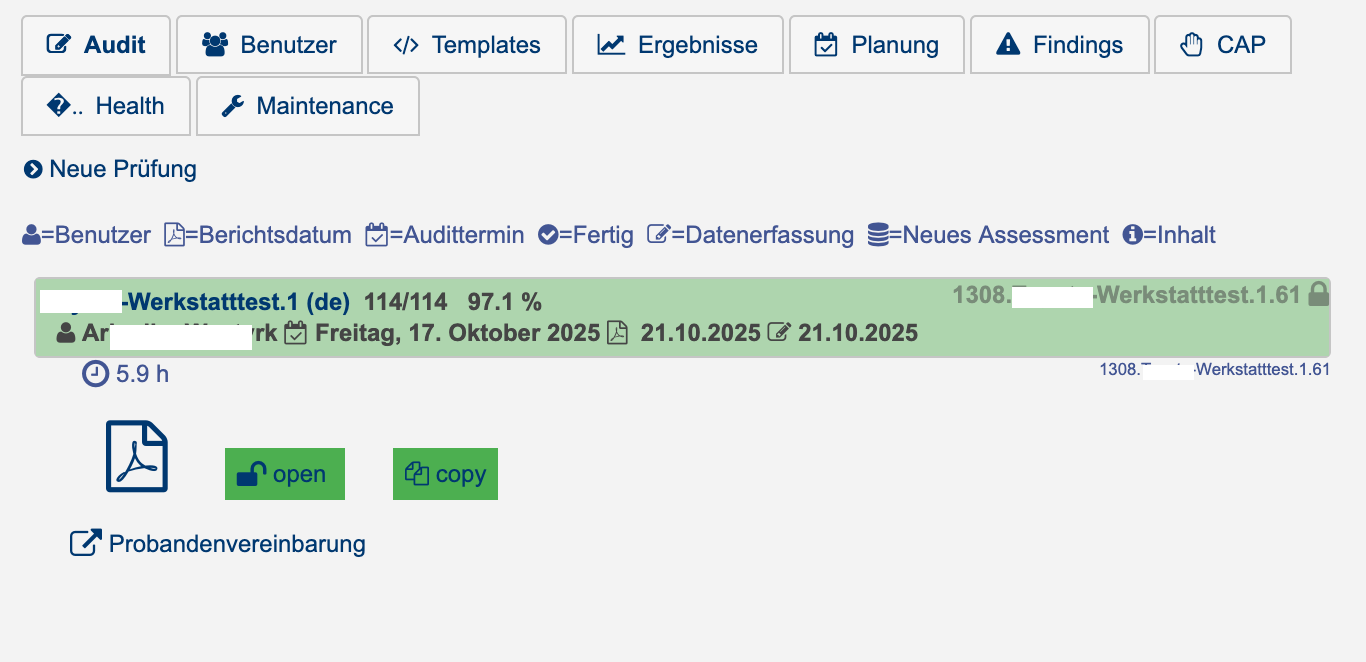
Only once an audit has been fully completed (all questions have been answered) will the auditor be presented with the “Finish” option. Clicking “Finish” generates a PDF document from the recorded data and saves it in auditBus. This report, like an open assessment, is displayed or linked under the respective location:
rportLink

Read more: Where is the audit report?

How do we turn the audit into an action plan?

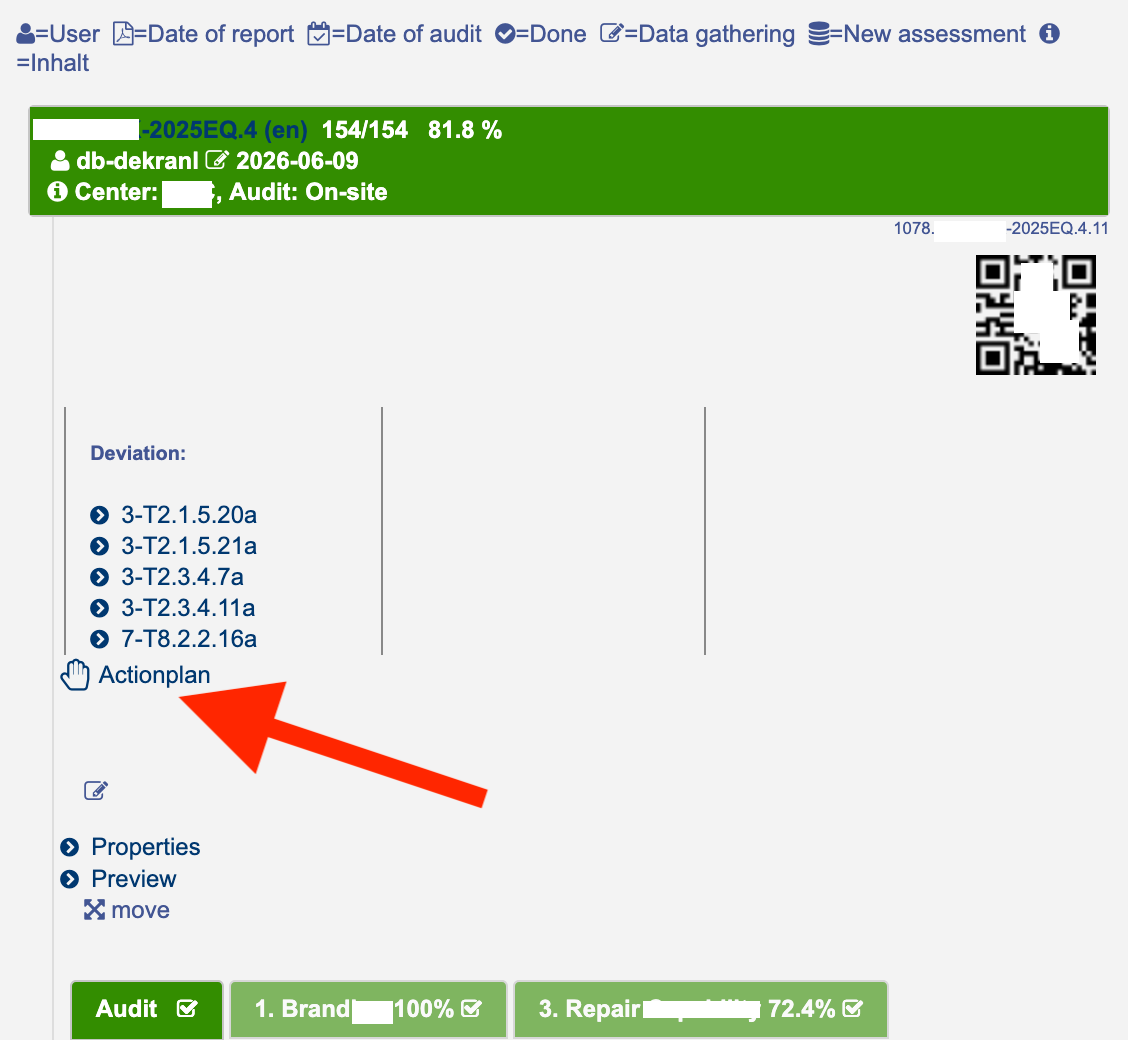
To enable the creation of an action plan directly from the audit, one or a set of defined nonconformities (e.g., major and minor nonconformities) must be created in the questionnaire. These can either be automatically assigned following a specific, usually negative, response, or they can be manually assigned by the auditor.

The content of the action plan is defined by a dedicated template with the suffix “-cap.” Common entries include, for example: “Suggested improvement,” “Person responsible,” “Implementation by,” “Successfully implemented,” and “Proof of implementation.”

As soon as one or more nonconformities have been recorded, the “Action Plan” link becomes available:


capCreate

Read more: How do we turn the audit into an action plan?

Is there an overview of the status of all action plans?

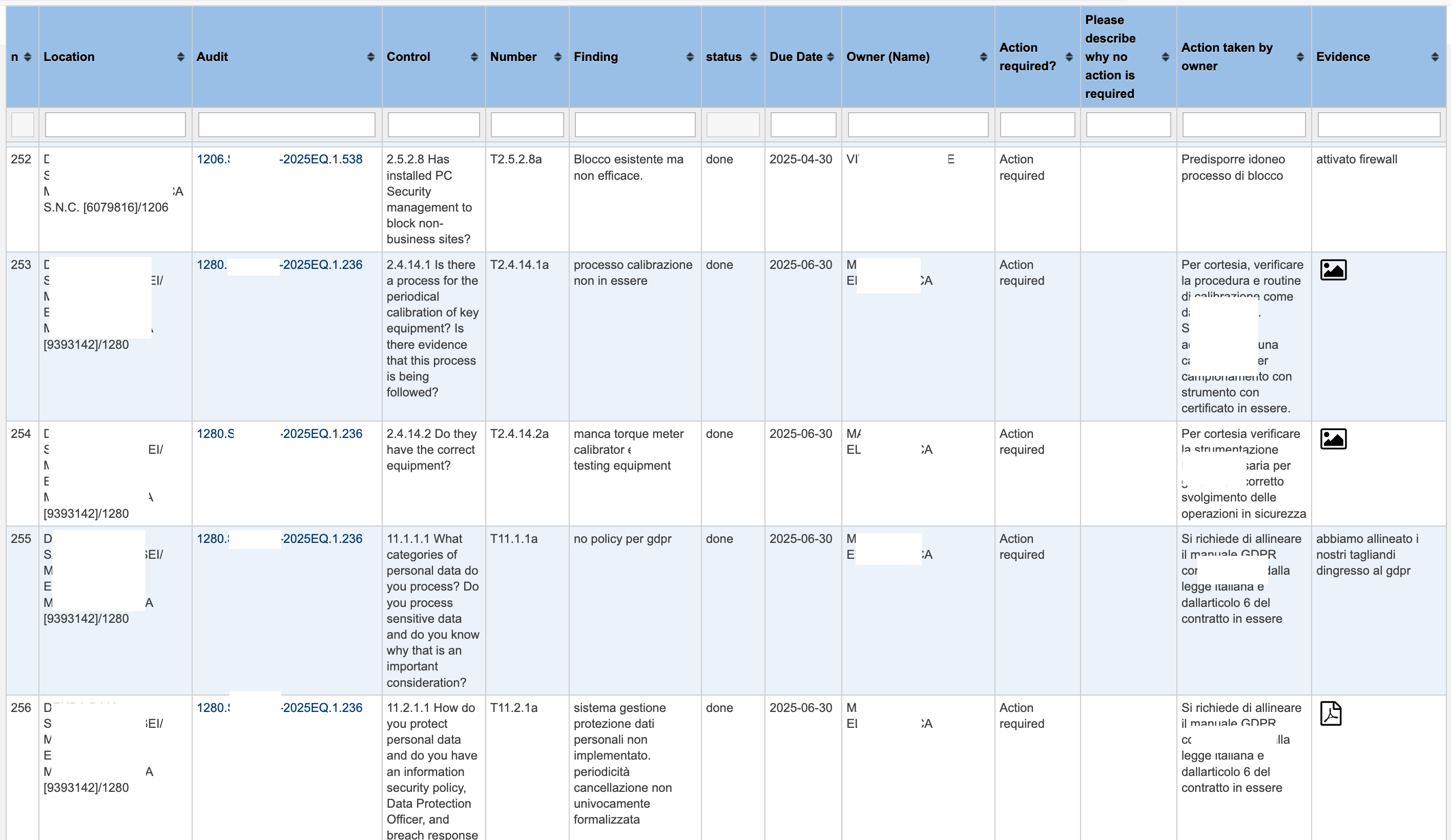
Yes. Under “Findings,” all comments, nonconformities, and evidence entered or added by the auditor during the assessment are displayed in a table and are also available for download.

The contents of the action plans (nonconformities):


findings


The table layout is generated automatically based on the fields specified in the template. Supporting documents can be viewed by clicking the corresponding icon (image or PDF).

All discrepancies for the selected level are displayed.

Read more: Is there an overview of the status of all action plans?

Are the overall results being analyzed?

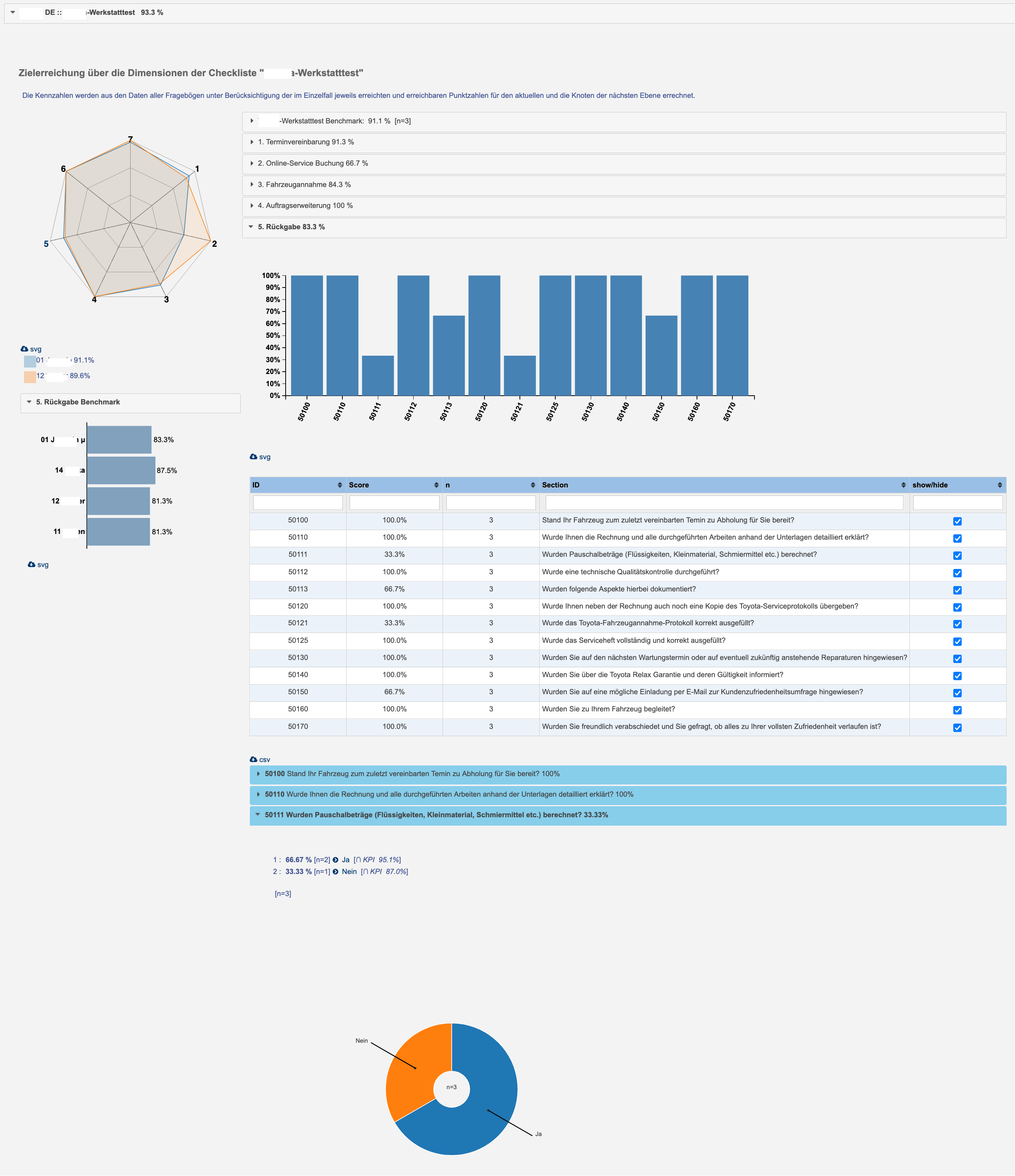
Under “Results,” the metrics (percentages or point scales) for all assessments at the selected level are analyzed for each template:

results

Read more: Are the overall results being analyzed?

How can I conduct my audit without an internet connection?

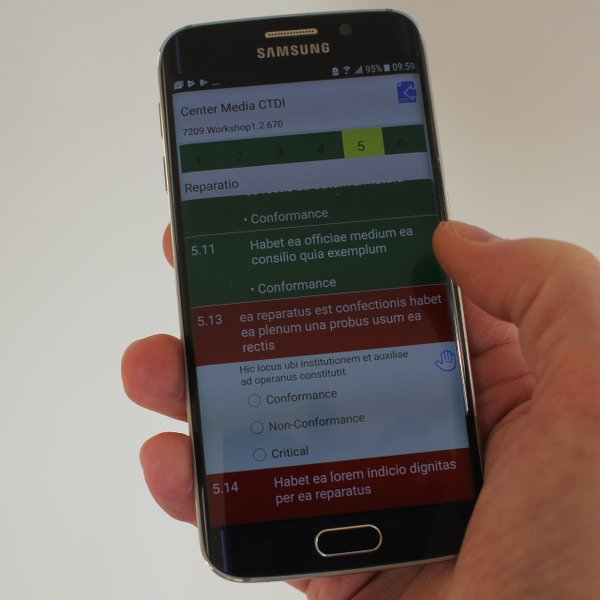
Each audit can be downloaded to an Android smartphone or tablet. This can be done individually by scanning the QR code or as a package containing the auditor’s workload for the specified time period.

The auditBus Client is a standalone Android application that does not require an internet connection to process an audit.

The assessment can be synchronized with the auditBus Server at any time.

Offline1

Page 2 of 2
  • Start
  • Prev
  • 1
  • 2
  • Next
  • End
auditBus.net CMS
easy & agile auditing
Privacy Policy
Imprint
  • English (United Kingdom)
  • German (DE)
 
 
Bootstrap is a front-end framework of Twitter, Inc. Code licensed under MIT License. Font Awesome font licensed under SIL OFL 1.1.